Page management
Manage and create custom pages, including the widgets displayed on them.
bLMs is built on Laravel and comes with all the advantages offered by the world’s leading framework. Its main advantage is powerful administrative features that make it easy for administrators to deliver learning and manage the system.
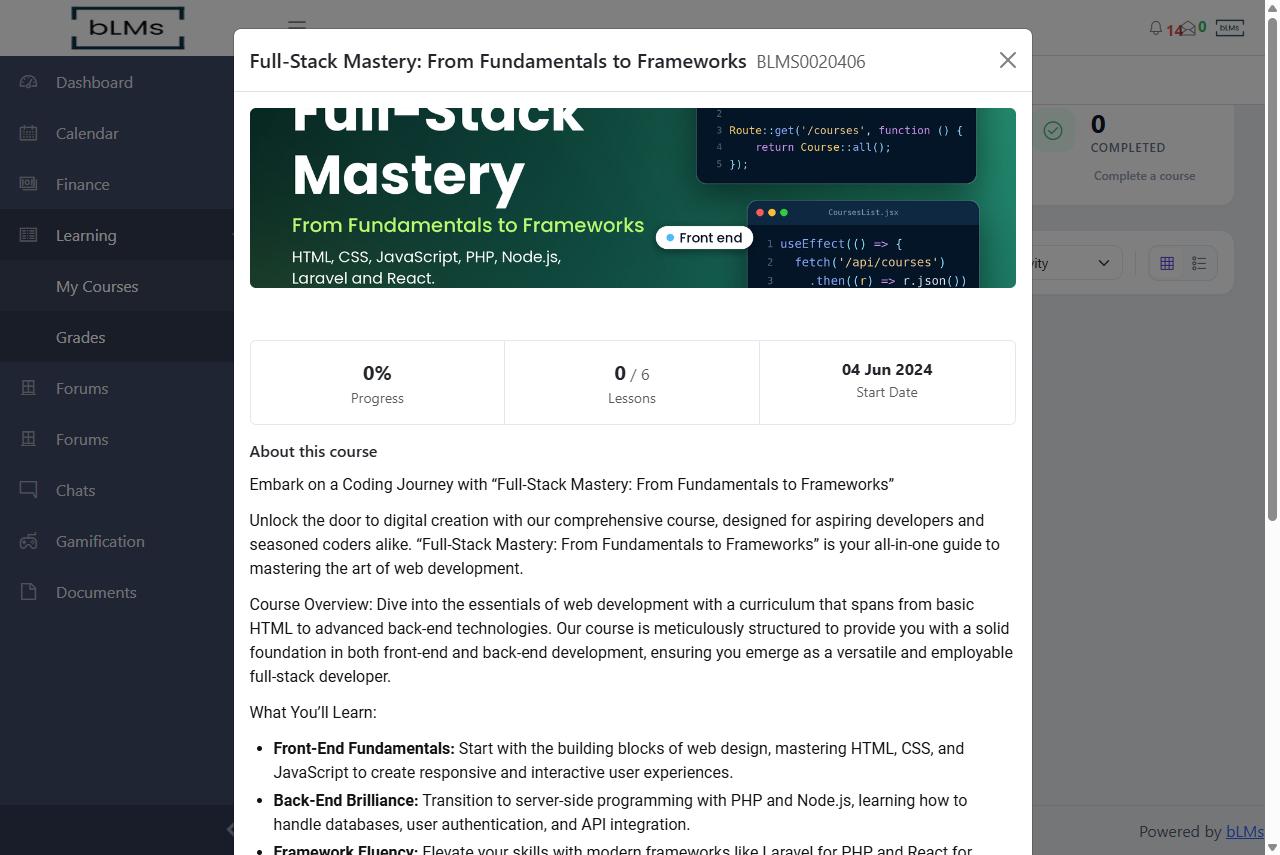
bLMs’s course management feature allows administrators to create, organize, and manage courses, including the course materials, structure, certificates and calendar.
bLMs’s course page is simple and powerful, providing learners with all the metrics they need.
Create a logical structure for a course, including modules, units, and lessons, and specify the order in which students should access the materials.
Assessments and assignments, polls & surveys, documents (PDF, OpenOffice and Microsoft Word), video, images, audio, external links and website embeds, and interactive content such as SCORM, CMI5, xAPI and H5P.
Create and manage assessments and assignments, including scoring and feedback configuration.
Store and display custom information about a course that is specific to an organization or institution, as determined by the administrator.
Schedule lectures, quizzes and assignments and display them on a calendar. Users can also create custom events specific to their needs.
Enable forums, instant chat and chat rooms to facilitate collaboration among students and instructors.
Assign certificates on attendance or completion of a course, and customize their layout, font, logos and content.
Communicate through notes, announcements and emails. Users can also create custom notes within the course.
Generate reports on student progress and engagement, and analyze data on course performance and effectiveness.
Upload additional documents that users can access in the course dashboard. Users can also upload their own documents in each course document section.
Students can access course materials and activities from their smartphones and tablets.
bLMs user management features allow administrators to manage user accounts and permissions of students, instructors, and other users of the system.
Read the docsbLMs includes features that allow administrators to manage and maintain the overall operation and security of the LMS, from configuration and email to menus, roles, events and modules.
Read the docsCreate and manage custom pages, and customize the look and feel of your LMS.
Manage and create custom pages, including the widgets displayed on them.
Control the widgets that are displayed on pages.
Screens from the bLMs web application. Select any screen to enlarge it.
Short recordings of bLMs in use.
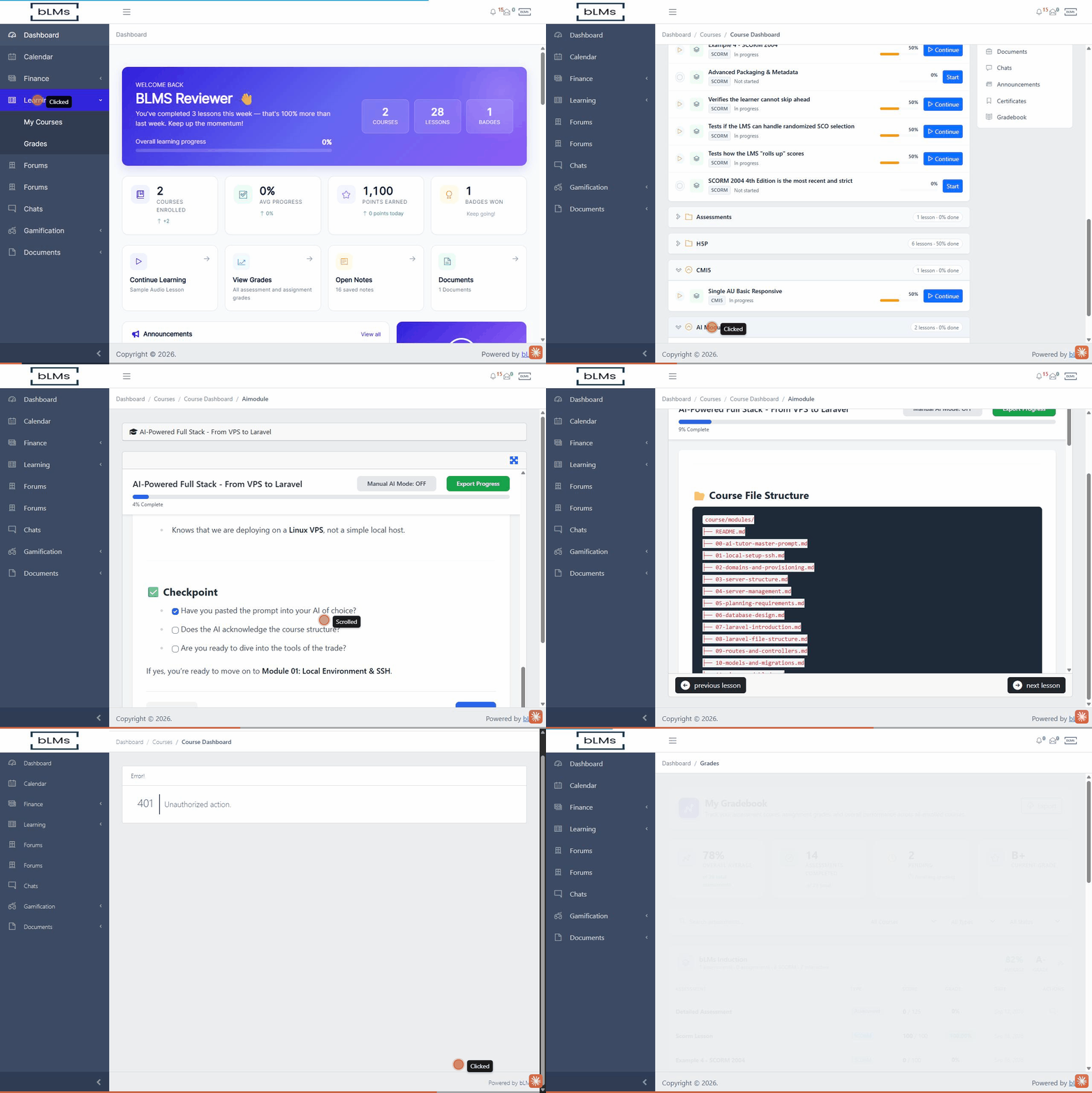
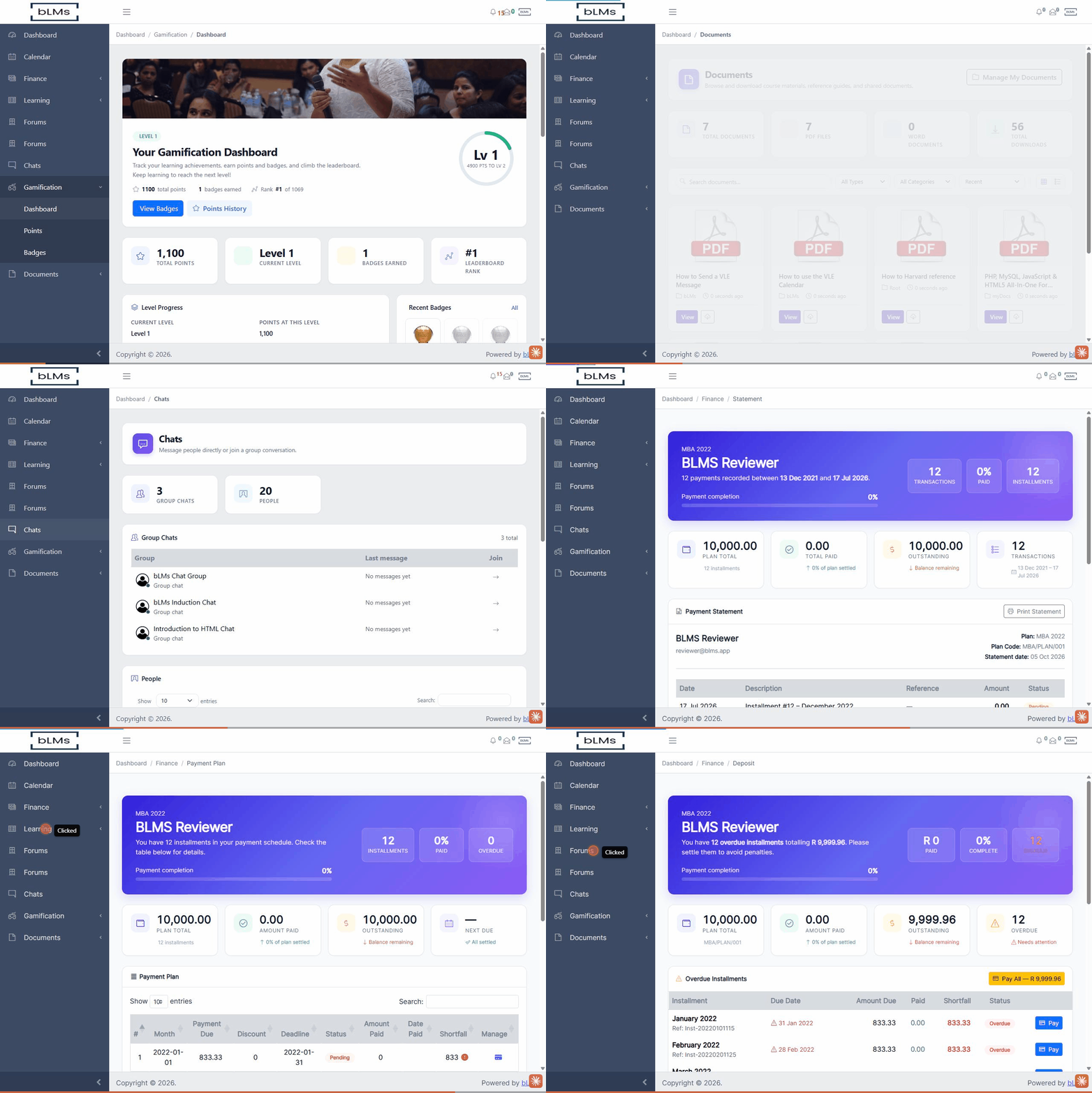
Moodle is the most popular LMS option available, but it is being challenged by newer LMS systems like bLMs. The best LMS for your organization will depend on your specific needs and requirements.
| Feature | bLMs | Moodle |
|---|---|---|
| Ease of use | Easy to use for both administrators and users | More complex to set up and manage |
| Customization | Very customizable | Highly customizable |
| Scalability | Scalable to meet the needs of large organizations | Can be challenging to scale for large organizations |
| Community support | Smaller community than Moodle | Large and active community |
A modern, easy-to-use LMS with a focus on customization and scalability.
A popular and well-supported PHP framework that makes bLMs easy to develop and maintain.
Designed to be efficient and scalable, making it a good choice for large organizations.
Intuitive and easy to use, both for administrators and users.
Create courses with a variety of activities and resources.
Built with security in mind, with a number of features to protect your data.
Request a demo and we’ll walk you through bLMs.